
WEEX API Python SDK: How to Sign and Call It End to End

 Prefer us on Google


The first thing to settle, before any code: as of July 2026 WEEX does not ship an official standalone package called "weex-python-sdk." What you actually have are two working paths — call the REST endpoints directly with requests using WEEX's own signing rules, or use the open-source multi-exchange library ccxt, which already includes WEEX. This guide runs both paths to completion and spends most of its ink on the two places that break integrations: how you sign a request, and how you keep the keys safe.
This is a build note you can paste into a project, not an endpoint dictionary. WEEX spot and contract APIs are currently on V3 (BETA), with V2 still available for contracts; the code below uses spot V3.
What "WEEX API Python SDK" Actually Means
Strictly speaking, it is not an officially blessed package — it is shorthand for "a Python client that talks to WEEX endpoints." WEEX exposes REST and WebSocket interfaces covering spot, contracts, copy trading, and broker products. Any language that can send an HTTP request and compute an HMAC signature can integrate.
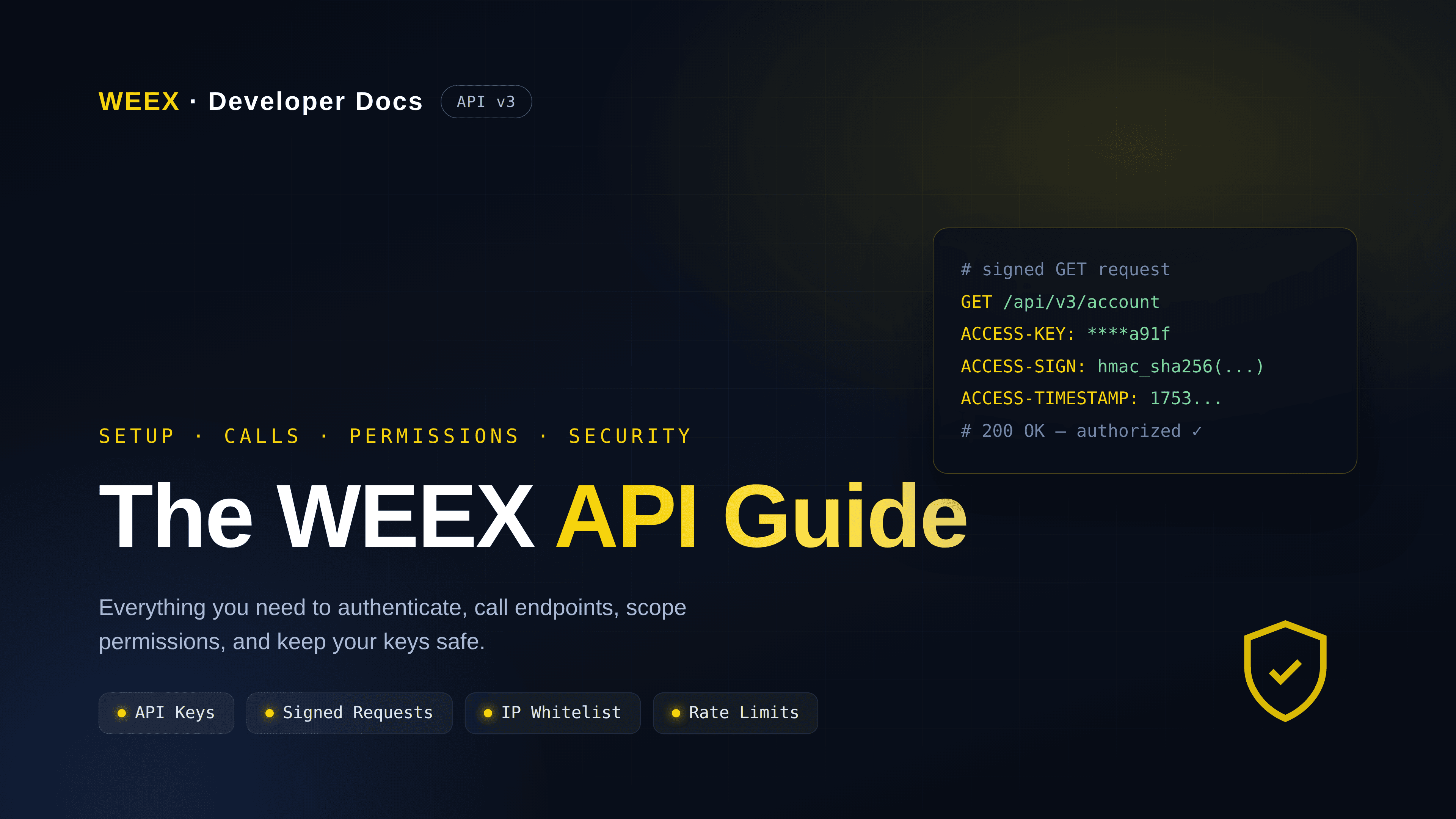
In practice the "Python SDK" takes three forms:
- A thin hand-written wrapper —
requestsplushmac, a few dozen lines, minimal dependencies, maximum control. - The ccxt unified library —
pip install ccxt, treat WEEX as one of the 100+ exchanges ccxt supports, with method names shared across venues. - A WebSocket client —
websocket-clientto subscribe to live market data or private channels.
The API introduction itself tells developers to align with the documented schemas and maintain versioned clients — in other words, you assemble the SDK; you do not wait for an official one.
Prep Work: Create an API Key and Scope Its Permissions
Before any call, create an API Key in your account. Per the integration preparation docs, an account can hold up to 10 key groups. Each key gives you three credentials, none optional:
| Credential | Role | Watch out |
|---|---|---|
| APIKey | Identity | Goes in the ACCESS-KEY header |
| SecretKey | Signing key | Used only locally to sign; never transmitted |
| Passphrase | Custom phrase | Cannot be recovered if lost; goes in ACCESS-PASSPHRASE |
Permissions matter here: a newly created key defaults to Read Only — you must manually enable spot trading to place orders. Bind an IP whitelist at creation time; the documentation states plainly that unrestricted keys with no IP binding are a security risk.
How to Call It: Sign a Request in Python
WEEX's signing rule, from the signature docs, concatenates timestamp + method (uppercase) + request path (with query) + body, runs HMAC SHA256 with your SecretKey, then Base64-encodes the result. The timestamp is in milliseconds, and any request more than 30 seconds off the server clock is rejected.
This runs as-is (using the depth endpoint from the docs):
import time, hmac, hashlib, base64, requests

API_KEY    = "your-APIKey"
SECRET_KEY = "your-SecretKey"
PASSPHRASE = "your-Passphrase"
BASE = "https://api-spot.weex.com"  # confirm host against the official StandardSpecifications doc

def sign(ts, method, path, body=""):
    prehash = f"{ts}{method.upper()}{path}{body}"
    mac = hmac.new(SECRET_KEY.encode(), prehash.encode(), hashlib.sha256)
    return base64.b64encode(mac.digest()).decode()

def request(method, path, body=""):
    ts = str(int(time.time() * 1000))
    headers = {
        "ACCESS-KEY": API_KEY,
        "ACCESS-SIGN": sign(ts, method, path, body),
        "ACCESS-TIMESTAMP": ts,
        "ACCESS-PASSPHRASE": PASSPHRASE,
        "Content-Type": "application/json",
    }
    url = BASE + path
    if method == "GET":
        return requests.get(url, headers=headers).json()
    return requests.post(url, headers=headers, data=body).json()

# Public market data needs no signature; this shows the signed-header pattern
print(request("GET", "/api/v3/market/depth?symbol=BTCUSDT&limit=20"))
The trap: GET parameters go into the query inside path, POST uses a JSON body, and the body you sign must be byte-identical to the body you send. A different key order or an extra space breaks the signature — the single most common source of 401s in hand-written clients.
Use ccxt for a Fast Start (the Right Call for Most People)
If you would rather not hand-roll signing, ccxt already wraps WEEX spot, contracts (swap), and WebSocket across 80-plus methods. A few lines get you tickers and orders:
import ccxt   # pip install ccxt

ex = ccxt.weex({
    "apiKey": "your-APIKey",
    "secret": "your-SecretKey",
    "password": "your-Passphrase",   # WEEX passphrase maps to ccxt's "password"
})

print(ex.fetch_ticker("BTC/USDT"))            # market data
# print(ex.fetch_balance())                    # needs trade permission
# ex.create_order("BTC/USDT", "limit", "buy", 0.001, 30000)
The payoff: the same code that calls WEEX today calls another venue tomorrow with a one-line class change. The cost is that ccxt is a community-maintained abstraction — coverage of a brand-new WEEX endpoint can lag, so verify fields against the official docs when you chase new features.
Live Data: Connect to WebSocket from Python
Polling REST will hit rate limits fast. For real-time data, use WebSocket — the public channel is wss://ws-spot.weex.com/v3/ws/public and the private channel is .../private, the latter authenticated with the same four ACCESS-KEY / ACCESS-SIGN / ACCESS-TIMESTAMP / ACCESS-PASSPHRASE fields (the sign string is timestamp + /v3/ws/private).
import json, websocket   # pip install websocket-client

ws = websocket.create_connection("wss://ws-spot.weex.com/v3/ws/public")
ws.send(json.dumps({"method": "SUBSCRIBE", "params": ["BTCUSDT@ticker"], "id": 1}))
print(ws.recv())
The server sends periodic ping messages; the client must reply {"method":"PONG","id":1} or the connection drops. Field details are in the WebSocket docs.
Is It Safe? Permissions and Key Hygiene in Practice
API trading is as safe as your key management, not the endpoint. Almost every loss traces back to mishandled keys rather than a breached interface. The practical checklist:
- Least privilege — enable only what the current strategy needs. A read-only key never gets trade access; WEEX keys also carry no withdrawal permission by default, which limits how much a stolen key can do.
- Bind an IP whitelist — lock the key to your server's egress IP so a leaked key is useless elsewhere.
- Keep keys out of the codebase — use environment variables or a secrets manager; never hardcode, commit to Git, or ship in client-side code.
- Separate dev and prod — two key sets, no cross-contamination, easier incident triage.
- Rotate on a schedule — cycle keys and alert on signature failures and 429s.
Design for rate limits up front: public market endpoints allow roughly 20 requests per 2 seconds, and exceeding that returns HTTP 429; private endpoints follow per-key rules. Building retry and backoff into the client beats firefighting later.
Quick Reference
| Item | Value (as of July 2026) |
|---|---|
| Interface types | REST + WebSocket |
| Current version | Spot/contract V3 (BETA); contract also V2 |
| Auth headers | ACCESS-KEY / ACCESS-SIGN / ACCESS-TIMESTAMP / ACCESS-PASSPHRASE |
| Signing | HMAC SHA256 + Base64 |
| Timestamp | Milliseconds; rejected if > 30s off server |
| Public rate limit | ~20 req / 2s, 429 on excess |
| Default permission | Read Only (trading must be enabled) |
| Python first choice | Hand-written requests wrapper, or ccxt |
The Bottom Line
There is no official standalone WEEX API Python SDK, and that is not a blocker: the signing logic is clean (HMAC SHA256 + Base64), and ccxt gives you a ready-made unified entry point. What decides the outcome is permission and key management — default to read-only, bind an IP, keep secrets out of the repo — and with those in place, WEEX API Python integration is both fast and stable. When you're ready, create your first key from the integration preparation docs.
Further reading: ccxt's WEEX coverage is documented in its official wiki.
FAQ
1. Does WEEX have an official Python SDK?
Not as of July 2026. WEEX provides REST and WebSocket interfaces; on the Python side you either write a requests wrapper or use ccxt, which already includes WEEX.
2. My calls keep returning a signature error (401) — how do I debug it?
Usually one of three things: the timestamp is not in milliseconds or is more than 30s off the server; the sign string order is wrong (it must be timestamp + method + path + body); or the body signed differs from the body actually sent on a POST. Check each in turn.
3. Where does the WEEX passphrase go in ccxt?
In the password field. ccxt uses apiKey, secret, and password to map to WEEX's APIKey, SecretKey, and Passphrase.
4. Do public market endpoints need a signature?
Public endpoints like market data generally need no signature; only private endpoints touching your account or orders require the full set of four auth headers. Public endpoints are still rate-limited.
5. Why can't my new API key place orders?
Because a new key defaults to Read Only. Manually enable spot trading permission when creating or editing the key, and bind an IP whitelist at the same time.
Risk Warning
Digital assets are highly volatile, and automated trading can lose part or all of your capital through strategy flaws, market swings, or system failures. API trading adds specific risks: a leaked key with no IP binding can let an attacker act on your account; high-leverage contracts amplify losses; and rate limiting (429) or network drops can leave orders unfilled or cancellations failed. Apply least-privilege permissions, bind an IP whitelist, safeguard your SecretKey and Passphrase, and test thoroughly with small size before going to production. This article is a technical integration guide and is not investment advice.
Disclaimer: This content is provided for general branding and informational purposes only and doesn't constitute financial, investment, legal, or tax advice. Any events, rewards, online events, or related information mentioned herein should not be considered a recommendation, solicitation, or invitation to purchase, sell, trade, or otherwise deal in any crypto assets or to use any services. Crypto assets are highly volatile and may result in loss. WEEX services and online events may not be available in all regions and are subject to applicable laws, regulations, and eligibility requirements. You are responsible for ensuring that your use of WEEX services complies with local laws and for carefully assessing the risks before participating in any crypto-related activities.
You may also like

What Is a Broker? The Complete Guide to Understanding Financial and Crypto Brokers

How to Compare Crypto Brokers: What the Rankings Don't Tell You and What Actually Matters

Oracle Stock Price Prediction 2026-2027: Can ORCL Reach $250 After the Pentagon Deal?

Is Oracle Stock a Buy After the $7 Billion Pentagon Deal? What the Defense Contract Changes
SPCX Stock Price Is Down $1 Trillion From Its Peak: Is Now the Time to Buy?
Is Tesla Stock a Buy at $320 After the Q2 Earnings Crash?

SPCX Stock Price and Starship Flight 13: What Tonight's Launch Needs to Deliver

Why Tesla Stock Crashed 14% on Record Revenue: What the 1.4% Operating Margin Actually Means
Tesla Stock Is Betting Everything on Robotaxi and Optimus: What Investors Are Actually Paying For
Intel Stock vs AMD Stock: Which Chip Giant Is the Better Buy After Q2?
Intel Stock Price Prediction 2026-2027: Can INTC Reach $150 After the Foundry Turnaround?

What Is Tokenized USO/USOS and How Do Commodity-Backed RWAs Function in DeFi Trading in 2026
What Are the Risks and Rewards of Trading Tokenized Equities Like GME On-Chain in 2026

Is Intel Stock a Buy After Q2 Earnings? What 163% Year to Date Gain and Raised Guidance Tell Investors
How Does Tokenized GameStop (GMEx) Differ From the GME Meme Coin on Blockchains in 2026
Goldman Sachs CEO Backs Senate Crypto Bill: The Institutional Blueprint for Wall Street On-Chain Liquidity in 2026
Intel Stock Soars After Q2 Earnings Beat: What the Strongest Revenue Growth in 15 Years Actually Means

Why Did Goldman Sachs CEO David Solomon Endorse the Senate Crypto CLARITY Act in 2026

WEEX API Compatibility: What Changes When You Migrate From Another Exchange
CRUDEOIL Airdrop: Share 50,000 USDT Rewards on WEEX
USDC Use Cases Explained: Payments, DeFi, Cross-Border Transfers, and Key Risks
Top Crypto Brokers in 2026: Types, Rankings and How to Choose the Right One
SpaceX IPO Stock Performance: SPCX From $135 to the Lock-Up Test
What Is a Crypto Broker? How Is It Different From a Crypto Exchange?
What Is a Futures API? How to Call It and Keep It Safe
Robinhood Chain Explorer: How to Find the Official One

WEEX API Guide: Setup, Calls, Permissions, and Security
5 Reasons WEEX Poker Party Series 4 Is the Event You Don't Skip
The Joker Is Back: Draw Your Share of a $1,000,000 USDT Pool on WEEX
How to Start Crypto Quantitative Trading as an Individual
What Is a Broker? The Complete Guide to Understanding Financial and Crypto Brokers
How to Compare Crypto Brokers: What the Rankings Don't Tell You and What Actually Matters
Oracle Stock Price Prediction 2026-2027: Can ORCL Reach $250 After the Pentagon Deal?
Is Oracle Stock a Buy After the $7 Billion Pentagon Deal? What the Defense Contract Changes
SPCX Stock Price Is Down $1 Trillion From Its Peak: Is Now the Time to Buy?
Is Tesla Stock a Buy at $320 After the Q2 Earnings Crash?